
React · Reporting · AI
Runway Client Analyzer
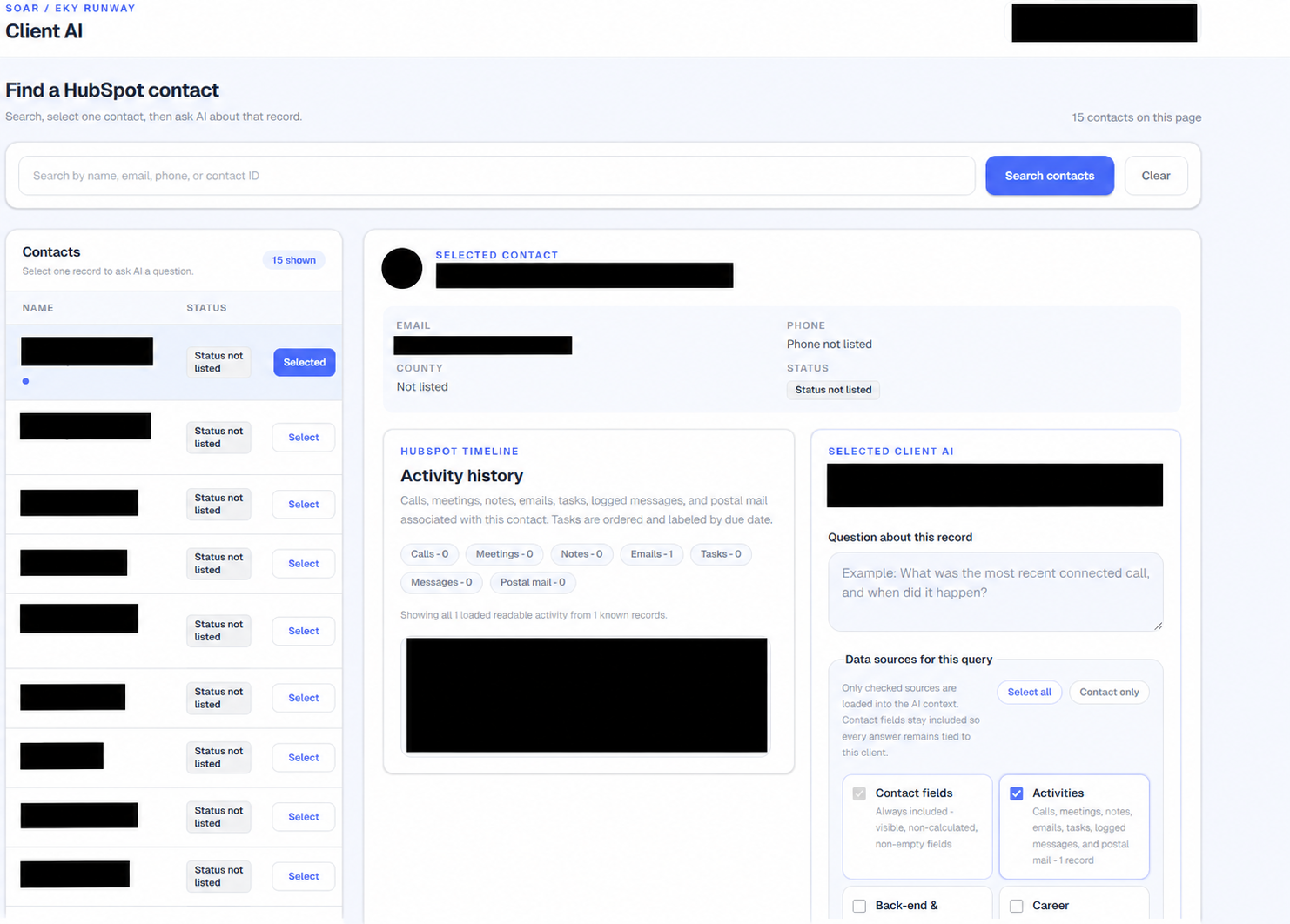
A tool for SOAR’s Runway team to review HubSpot client records, follow activity, and ask AI questions about a selected contact.
- Role
- Full-Stack Developer & Systems Analyst
- Organization
- Shaping Our Appalachian Region
- Timeline
- Project work
- Status
- Completed
Problem
Staff needed to understand a client’s history without switching between records and activity views.
Context
- Built for SOAR’s EKY Runway program.
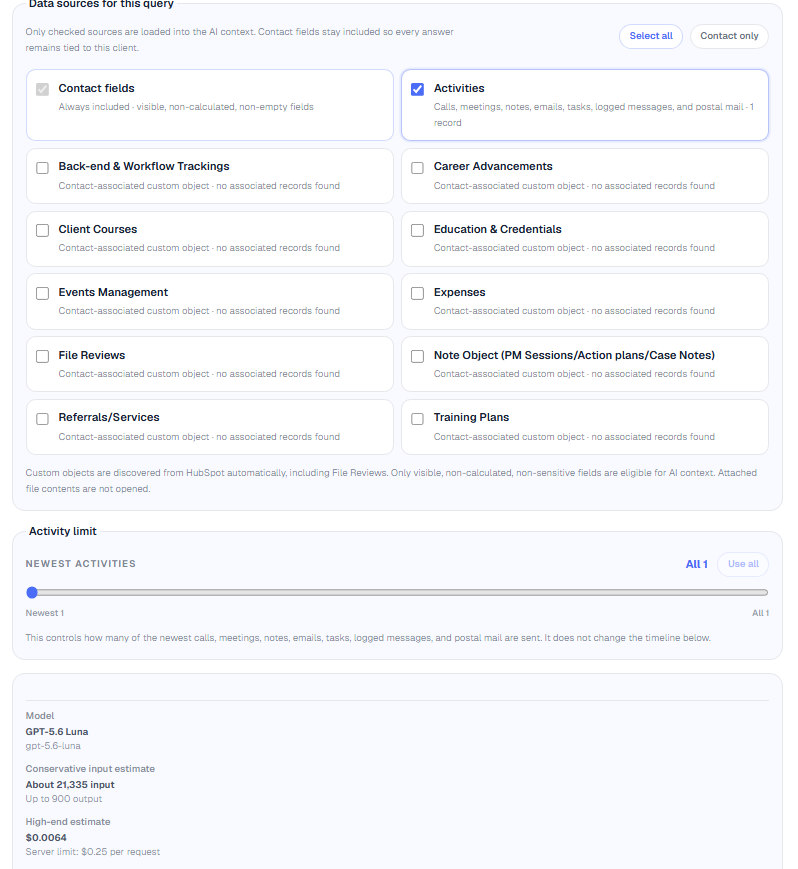
- Data-source controls let users choose what to include in each AI query.
Requirements
- Do not expose private contact, timeline, grant, staff, or model-configuration information.
- Keep AI output attributable to visible data context rather than presenting unsupported certainty.
- Support both desktop and narrow single-column workflows.
My role
- Develop frontend and backend functionality for reporting, data access, and AI-assisted analysis.
- Design record search and selection, question prompts, answer displays, and activity history.
- Make layouts work on desktop and mobile, validate input, show the data behind answers, and automate workflows.
- Test with synthetic CRM data.
Process
- 01
Select
Helped the user find the relevant operational record and confirm context.
- 02
Ask
Constrained questions to a specific record and a clear prompt boundary.
- 03
Explain
Presented an answer alongside a disclosure for data used.
- 04
Trace
Kept activity history visible for calls, meetings, notes, email, and tasks.
Tools
Challenges
- 01
Designing AI assistance that supports judgment rather than hiding its context.
- 02
Presenting dense activity history clearly on narrow screens.
Outcome
The app brings contact search, activity history, and AI questions into one view, with controls for the data included in each query.